> ## Documentation Index
> Fetch the complete documentation index at: https://docs.kimp360.com/llms.txt
> Use this file to discover all available pages before exploring further.
# Zapier Triggers
> Learn what triggers are in Zapier and how they work with KIMP360.
A trigger in Zapier is an event that starts a Zap. When the specified event happens in your connected app (such as KIMP360), Zapier will automatically begin the workflow you have set up.
## What is a Trigger?
* A trigger is the starting point for any Zapier automation (Zap).
* When the trigger event occurs in KIMP360 (for example, when a new card is created), Zapier will run the actions you have defined in your Zap.
* Each Zap can have only one trigger, but it can have multiple actions.
> **Example:** If you set up a Zap with the trigger **New Card Created** in KIMP360, every time a new card is created, Zapier will automatically perform the actions you specify (such as sending an email or updating a spreadsheet).
Stay tuned for a list of available KIMP360 triggers and setup instructions!
## Available Triggers in KIMP360 Zapier Integration
Below are the triggers you can use with the KIMP360 Zapier app. Each trigger can start a Zap when the specified event occurs in your KIMP360 account.
## Instant Triggers
Instant triggers run immediately when an event happens in your KIMP360 account, so your Zap responds in real time.
### Card Archived Instant
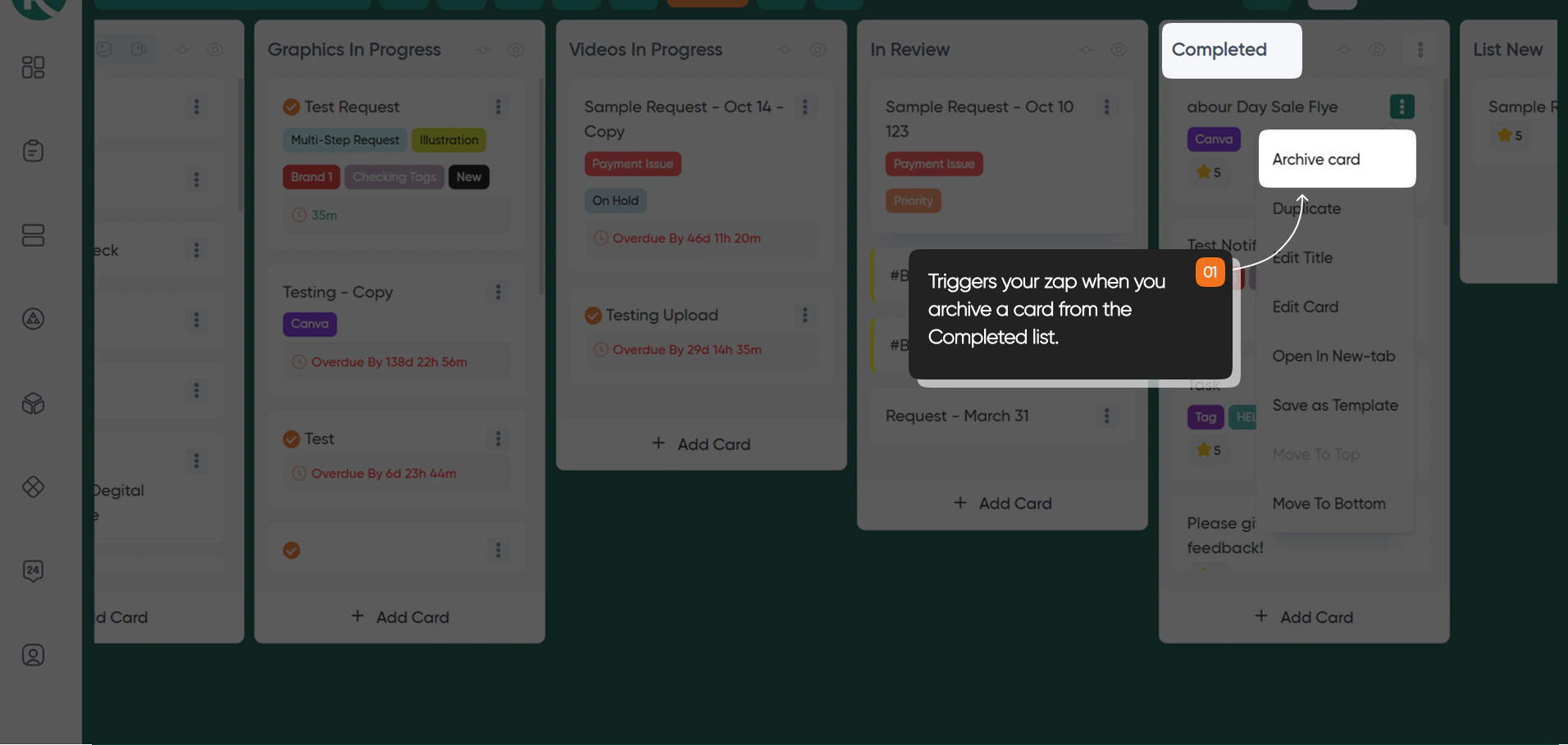
Instantly triggers your Zap when you mark a card status as **Archived** from either the **Drafts** or **Completed** lists in your KIMP360 dashboard, within the **Requests** page under any board.
 ### Card Moved to Completed Instant
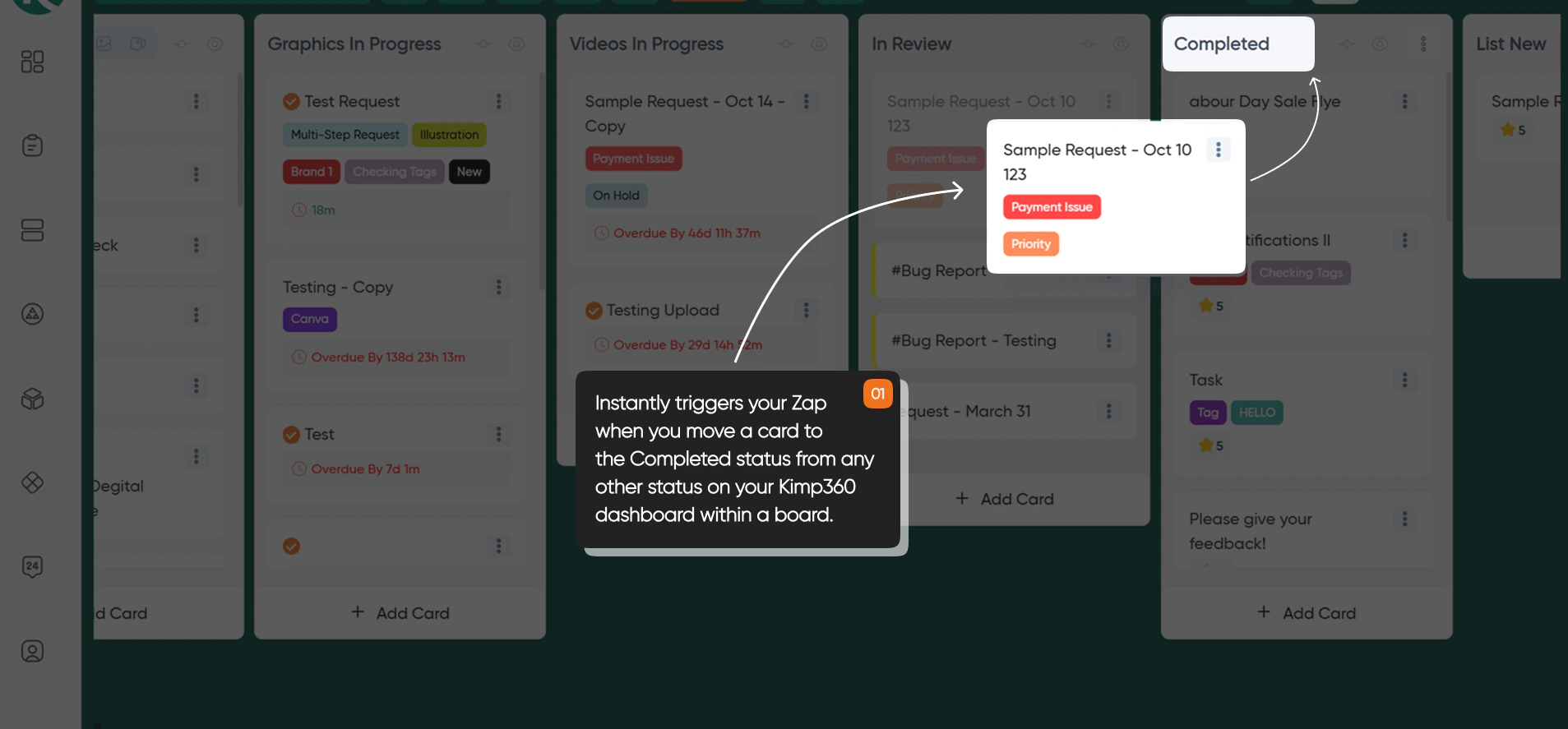
Instantly triggers your Zap when you move a card to the **Completed** status in your KIMP360 dashboard, within the **Requests** page under any board. Use this trigger to automate workflows whenever a task is marked as finished in a specific board within the **Requests** page.
### Card Moved to Completed Instant
Instantly triggers your Zap when you move a card to the **Completed** status in your KIMP360 dashboard, within the **Requests** page under any board. Use this trigger to automate workflows whenever a task is marked as finished in a specific board within the **Requests** page.
 ### Card Moved to In Progress Instant
Instantly triggers your Zap when you move a card to **In Progress** in your KIMP360 dashboard, within the **Requests** page under a board.
### Card Moved to In Review Instant
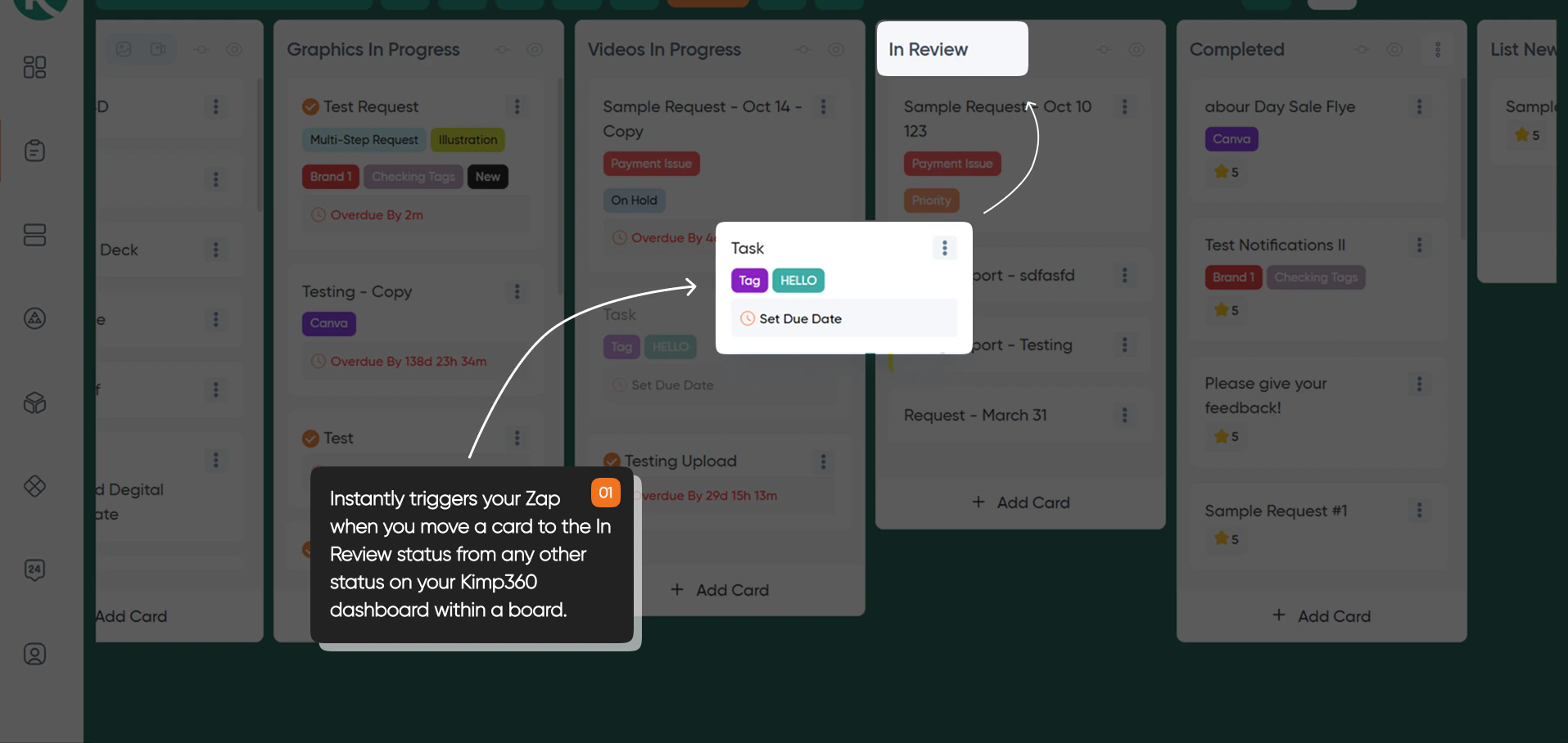
Instantly triggers your Zap when you move a card to the **In Review** status in your KIMP360 dashboard, within the **Requests** page under a specific board. Use this trigger to automate workflows whenever a task is ready for review in a specific board.
### Card Moved to In Progress Instant
Instantly triggers your Zap when you move a card to **In Progress** in your KIMP360 dashboard, within the **Requests** page under a board.
### Card Moved to In Review Instant
Instantly triggers your Zap when you move a card to the **In Review** status in your KIMP360 dashboard, within the **Requests** page under a specific board. Use this trigger to automate workflows whenever a task is ready for review in a specific board.
 ### Card Unarchived Instant
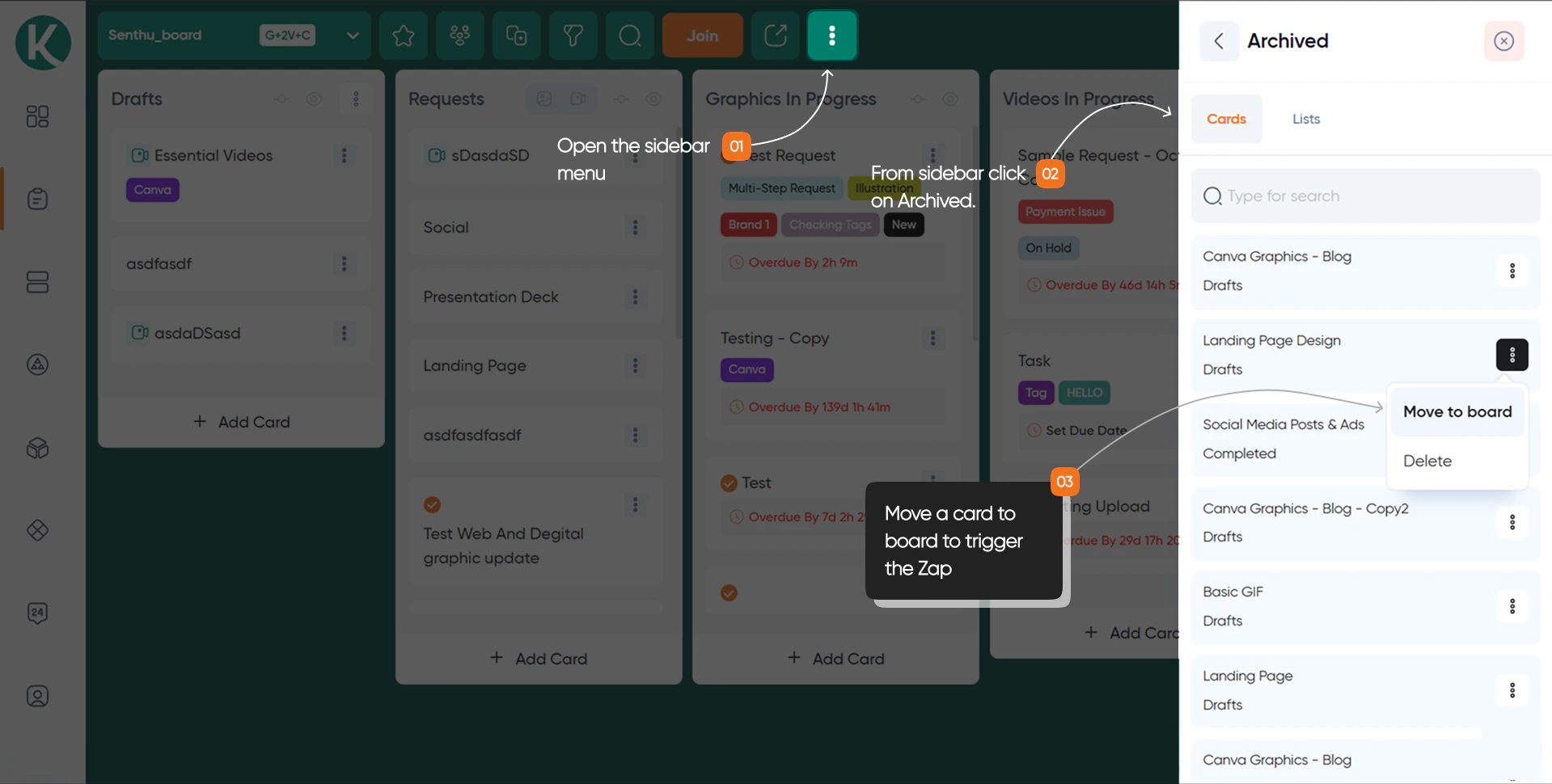
Triggers when a card is unarchived.
### Card Unarchived Instant
Triggers when a card is unarchived.
 ### New Card Created Instant
Triggers when a new card is created in KIMP360.
### New Card Created Instant
Triggers when a new card is created in KIMP360.