
Overview
The KIMP360 Zapier app uses user-specific API keys for authentication. Every Zap you create that interacts with KIMP360 requires you to enter your personal API key. Requests made without a valid key, or with an improperly formatted key, will result in an authentication error.An API key is a unique string that identifies and authorizes you (or your application) to access the KIMP360 API. Treat it like a password—keep it secure and never share it.
How to Get Your API Key
1
Log in to Your KIMP360 Dashboard
Sign in to your KIMP360 account. From the sidebar, click My Account > Settings, then open the Zapier Integration tab. 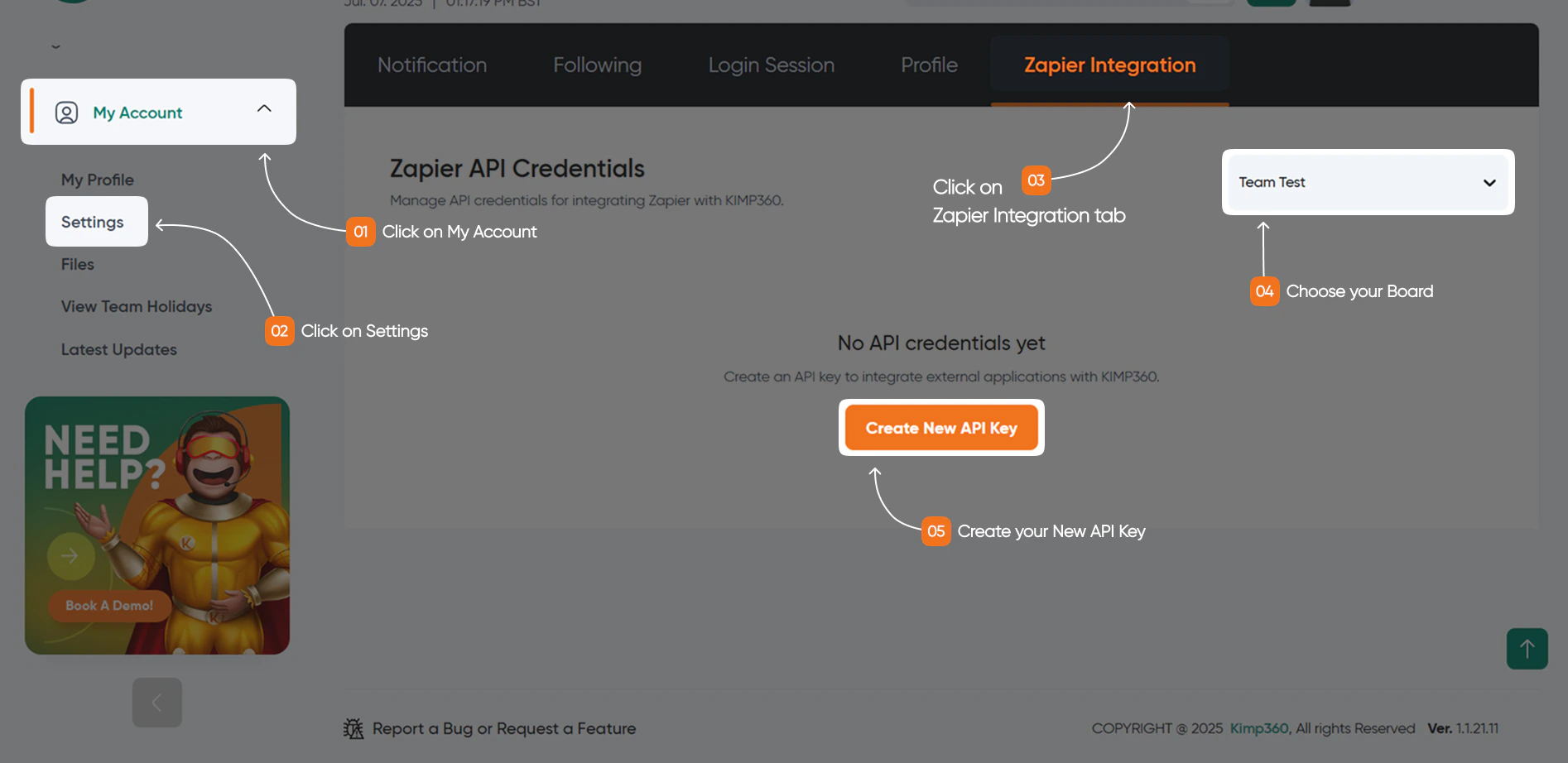
2
Generate or Locate Your API Key
In the Zapier Integration tab, you can generate a new API key or view your existing key. If you generate a new key, you may be asked to name it for easy identification (for example, “Zapier Integration”).
3
Copy and Store Your Key Securely
Once your API key is displayed, copy it and store it in a secure location, such as a password manager.
IMPORTANT: Keep Your Key Safe!
Your API key gives access to your KIMP360 data. Never share it, embed it in client-side code, or commit it to version control. Do not share your key with other users.
Your API key gives access to your KIMP360 data. Never share it, embed it in client-side code, or commit it to version control. Do not share your key with other users.
4
Enter Your API Key in Zapier
When setting up your Zap, Zapier will prompt you to enter your KIMP360 API key when you click the Account field on the Setup tab for authentication. Paste your personal API key into the authentication field. Each user must use their own key—do not share keys between users.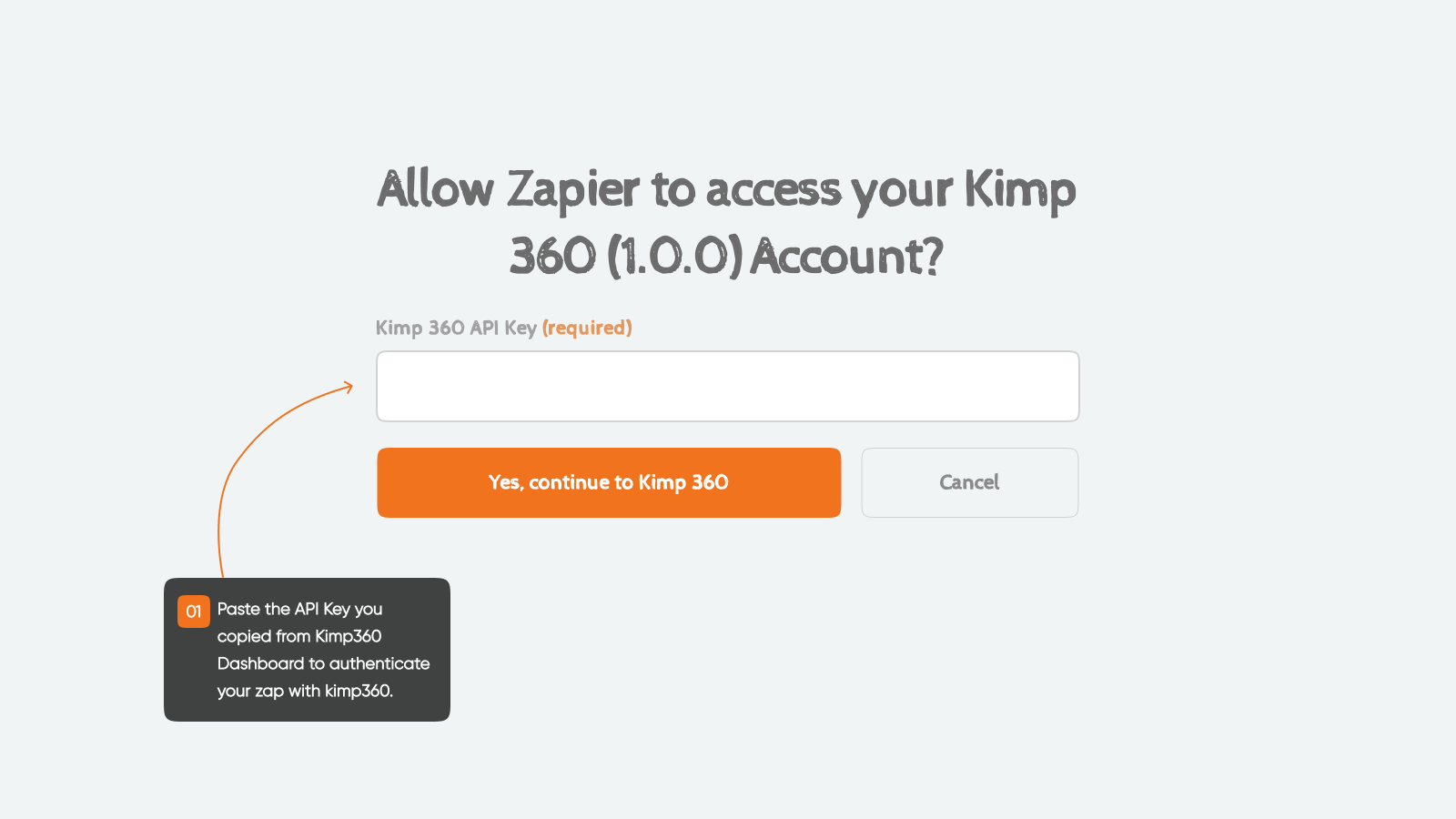
🛡️ Security Best Practices for API Keys
Proper management of your API keys is critical to the security of your integration and data.Keep Keys Confidential
Treat your API keys like passwords. Do not embed them in publicly accessible code, such as client-side JavaScript or mobile apps that can be decompiled.
Rotate Keys Regularly
Periodically regenerate your API keys, especially if you suspect a key may have been compromised.